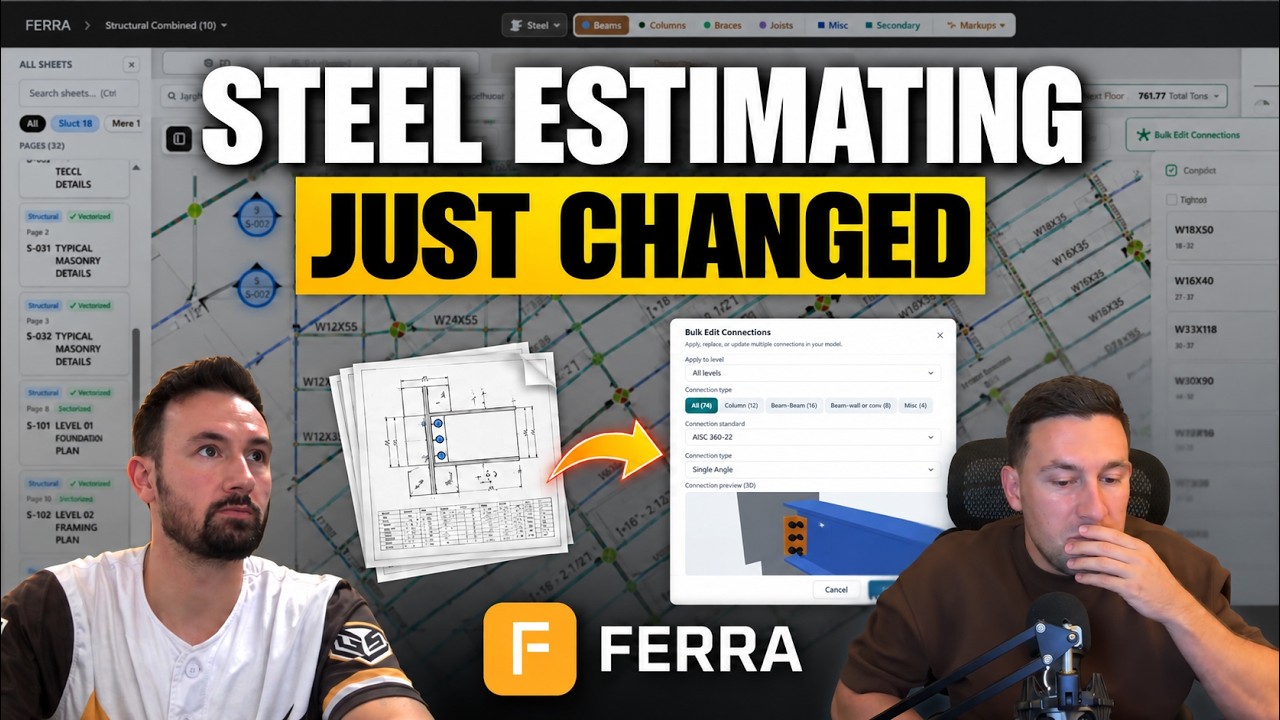
Key takeaways
Scanned and raster drawings. Smart Detect now finds columns on flattened image PDFs, not only on vector drawings.
IFC preview. Estimators can check the 3D model in Ferra before exporting it to Tekla Structures, Revit or SDS2.
Mirroring. Repeated regions of a drawing can be mirrored in the stitching canvas, and the mirror carries into the 3D model.
Cap and base plates. Ferra reads cap plate and base plate information from the details, and cap plates can be applied to columns as reusable stamps.
Miscellaneous metals. Takeoff for perimeter items such as deck edge and pour stop, and count items such as stairs, ladders and railings, is in early access.
Chapters
- 0:00Intro and welcome
- 2:27How we ship and hear from customers
- 5:12Steel takeoff on raster and scanned drawings
- 6:543D model and IFC preview
- 8:25Mirroring regions and floors
- 9:37Cap plates and base plates
- 10:21Stock length export and pricing
- 10:43Concrete takeoff in early access
- 11:14Cap plate takeoff demo
- 13:30Miscellaneous metals takeoff early access
- 14:32Miscellaneous metals takeoff demo
- 17:55Floor setup and copying beams
- 20:07Customer story: Gridiron Steel
- 25:52AI takeoff vs ChatGPT and Claude
- 27:452D and 3D split view
- 30:10Roadmap: bundled exports
- 31:27Wrap-up
Questions this episode answers
- What's new in Ferra's October 2026 release?
- Steel takeoff on scanned and raster drawings, an IFC preview of the 3D model before export, mirroring of repeated regions in the stitching canvas, cap plate and base plate detection from the details, and a stock length export. Miscellaneous metals takeoff is in early access, and concrete takeoff is being trialed with a few companies. Watch from 5:12
- Can Ferra take off scanned or raster drawings?
- Yes. Since the October 2026 release, Smart Detect works on flattened image drawings as well as vector PDFs, and the matrix tool lays out beams and grids where the drawing quality is poor. Results are still best on native PDFs. Watch from 5:06
- How is Ferra different from uploading drawings to ChatGPT or Claude?
- Ferra runs its own detection models and algorithms alongside general AI models and marks every member up on the drawing, so each number traces back to a sheet and can be checked or corrected. Watch from 25:52
- Where can a Ferra takeoff be exported?
- To CSV and Excel, including custom Excel formats, to Bluebeam, and as an IFC model for Tekla Structures, Revit or SDS2. Watch from 7:45
Transcript
Download .txtMichael Carey
All right. Welcome everybody. Happy to host here on the podcast. Got my co-founder Gu here, and for those of you who haven't met me, I'm Michael Carey, one of the co-founders of Ferra, the CEO. We're excited to kind of get together and just talk a little bit about some of the things that we've been seeing in the product especially things we've been excited about, my own experience using them as I use them for my own estimates as well in my own businesses. And just a little bit of an introduction and background on myself for those who haven't met me before. So I guess Gu, if you wanna kick it off, why don't you introduce yourself again? I think people have met you before, but it doesn't hurt to, to double dip, and then I'll give my intro.
Michael Gu
Sounds good. How's it going, guys? This is Michael Gu, co-founder and CTO of Ferra. And yeah, been working in AI as well as software engineering for a little over a decade, and this is my third startup. After meeting Michael here and Josh, our other co-founder you know, they've been in construction mechanical as well as steel for the last I don't know how long, even more decades.
Michael Gu
And I think construction tech specifically, we were aligned on a lot of different opportunities, but also problems that we were excited to solve. So that's kind of the birth of Ferra, which was I think just about a year ago now, and we're celebrating, I think our product being live six months. So our last podcast, we reviewed Ferra 1.5, which is kind of like a big release that we had.
Michael Gu
And so we're happy to discuss all the updates in the months since then including big updates that we'll review in this episode from October.
Michael Carey
Yeah, and a little bit, I guess, about, you know, why again are we here and doing it. I, I think the big piece for us is that we've lived this experience, you know, pain points of estimating, especially working in more outdated tools. There's so much cool technology out there now that we've all had experience with as founders.
Michael Carey
We wanted to bring that into this space not only to service the wider customer base, but also to make my own estimating go faster. So been pretty excited with some of the changes we've seen 1.5, especially over the past few months. A lot of really good stuff around miscellaneous metals, for example.
Michael Carey
A lot of really good stuff around joists, brace, and things like that, that have just helped accelerate workflows in a variety of places where before maybe we only had manual solutions. So why we're here and what we're excited about, and we can kinda take it away with some of the cool things we've released recently that, that stick out to us.
Michael Gu
So I think what we can do is go through You know, October was a pretty busy month, obviously. We had two big releases. When this podcast come out, I think that'll be three. And so we can kind of go through the change log that's that we publish. So we publish me and Josh, a regular newsletter to all of our customers as well as potential customers that are interested in Ferra.
Michael Gu
And so, yeah, that includes usually updates to the platform, but also like model accuracy, stability. We typically release on like a biweekly cadence and that's something that obviously if there's anything, you know, that's pretty quick, but if there's anything that comes up from customers you know, other feature requests or issues or bugs, we have like a pretty open line of communication with most of our customers.
Michael Gu
Some of them, we actually have a shared Slack channel, which we found is like, quite unique in our industry, especially for software providers. But we've been able to get a lot of feedback that way. Obviously we hear, you know, anytime a user has success uploading a project, taking it off within minutes we're able to see on our end, okay, did it-- how well did it do across beams or columns or joists or grid lines even miscellaneous now.
Michael Gu
So we're constantly triaging and checking every single project that's uploaded to our system and now it's like we're getting pinged all the time. So it's getting to the point where, where we have to automate this process a little bit more even potentially using agents to like verify the quality of our output.
Michael Gu
But that's something that we're hoping to bring also into the next couple months, which is more agentic options. So like for example, in our risk assessment bid summary, we'll be able to give users the ability to choose which, you know, model providers they want to use. Of course and a lot of the steel takeoff our actual model orchestration is a variety of custom models, whether that's algorithms or deep learning models that are then used to kind of supercharge off the shelf LLMs to increase the accuracy.
Michael Gu
'Cause obviously if you upload, for example, a drawing into just a regular LLM chat there's a lot of things that can go wrong and you don't have full visibility into it, right? And so that's the big thing for us is to be able to, one, highlight, you know, what went right, what went wrong quickly to the user, and then give you a lot of tools to quickly mark it up very fast or like, you know, let's say fix a column that was missing.
Michael Gu
We now, we have a tool called the sup- or the Smart Detect, which you can drop onto a column and it pretty much detects it across all your sheets. It can detect, you know, dozens or hundreds of columns across all your sheets within seconds so if we happen to miss anything, we have a lot of tools now so that it's really easy to clean up.
Michael Gu
Tools that a lot of, a lot of times are better or missing from other softwares like Bluebeam. So yeah, I can quickly go through our change log let's see, for October. So here for October, one of the big things, like I mentioned, is that we support a lot of recovery for raster drawings. What that means is we have drawings that are not native PDFs. They aren't exported as, like, vector PDFs. Sometimes they're flattened, either exported as an image or a PNG throughout the process of, you know, communication between the construction GC, the estimating company, you
Michael Carey
Drawings, the worst scanned.
Michael Gu
Yeah.
Michael Gu
So sometimes they're scanned and they're given to us, or users upload them as image, flattened image files. And in that case, what we do is we, we kind of deploy a series of techniques and Mike will get into how this has helped him in his own estimates. But for one, you know, obviously if we missed a column here, like we use our smart detect, which previously would only work on the vectorized lines, but now it's working on the flattened images or raster images.
Michael Gu
So we're able to kind of quickly recover a lot of columns almost instantly. And then from there in terms of like other items such as beams or grids or anything that's like linear, we have a lot of tools such as like a matrix tool, which we can go over later, that allows you to quickly create a set of beams or you know, lines that can then be assigned to like a steel designation.
Michael Gu
So that, that quickly helps you like take off things even if the quality of the drawing isn't like up to standard. Obviously, like w- the results in our system are much better when you get the full native PDF. So this is just something all, you know, one of the things we're doing that's helping out with increasing performance on those raster drawings.
Michael Gu
Another big thing that we released is support for 3D modeling and IFC. Specifically for IFC, we have like a preview. So when you ... Like we've been supporting 3D modeling and esta modeling since our initial release, which was back in April, May. And one of the things that we needed was a way for users to kind of preview what the model would look like before actually exporting the file so they wouldn't be surprised when they went ahead and like imported this into, you know, Tekla Structures or Revit or SDS2.
Michael Gu
So that's one of the things we wanna make sure we actually built our own you know, engine that like renders the 3D model, just like those other, you know, CAD softwares. And so you can actually preview the geometry before you export. So this is one of the things that helps us match a lot of the export flow.
Michael Gu
'Cause, you know, when we onboard a customer, one of the biggest things we wanna make sure is, you know, we match your, your workflow or we can at least get you from upload to take off to export of an actual, you know, the BOM and the quantities as quickly as possible, right? Ideally that can be something that's seamless and it works, whether that take off or hand off goes to you know, Tekla or a CSV or Excel, custom Excel file, that happens a lot, or into Bluebeam or 3D.
Michael Gu
So one of the things that, yeah, that we do with the 3D is, You know, we have to support all different types of f- obviously file types, but the rendering engines can be different. So that's, you know, the preview has been really helpful there
Michael Gu
Yeah. So the next thing kind of on our change log w- this is r- this one's related to mirroring. Especially in the stitching process. If we, if for example we had a piece of the drawing that we wanted to, you know, let's say we had data center that had a lot of regions that, for example, were not represented in the drawings, but they're assumed to be part of the drawings.
Michael Gu
This happens a lot where they just give you like a quadrant of the, of one floor, and then there's-
Michael Carey
industrials, right? Where it's just duplicated over and over, tons of rows, the same thing
Michael Gu
Yep, yep. Or like floors are duplicated too. So in a lot of these scenarios, we wanna be able to, like, give you tools to reflect or mirror these these areas or regions, so then the elements are just like pretty much taken off without having to like... Let's say previously you'd have to like duplicate the floor and use other kind of sub planning strategies.
Michael Gu
In this case, you could just, when you're in the, our stitching canvas, you can actually just like mirror it, and this will actually reflect the mirror properly in the 3D mode as well. So that's really, you know, really cool, excite- exciting piece that's like a big time saver for a lot of those like big industrial projects or data centers, warehouses.
Michael Gu
Yeah, one of the things we're also Michael and I are excited to talk about, and we'll kind of show a bit later on, is cap plate and our base plate kind of advancements. So for columns specifically we're able to detect a lot of this information for cap plates and base plates almost instantly.
Michael Gu
So yeah, we can go...
Michael Carey
for me
Michael Gu
Yeah, we can go over how that kind of fits into the actual workflow day to day because, you know, you obviously need to determine from the details, right, if there's any base plate, cap plate information for all the columns if there's any custom connections or let's say secondary steel that goes around the perimeter.
Michael Gu
So a lot of that can be taken off, but we have a- agents that also provide a lot of suggestions the rest of this pretty much covers more export advancements. For example, our stock length export, which goes over, like, how a specific project should be cut depending on the inventory. One of the things looking to the future we're focusing on is also supporting custom labor codes and pricing.
Michael Gu
So keep your eyes out for that. We'll probably be doing, like, another webinar or kind of, discussion just on the pricing piece, so stay tuned for that. Yeah, and the final thing is the miscellaneous and concrete. This is something we've actually been working directly with one of a few design partners and this, you know, obviously is relatively new.
Michael Gu
It's just being trialed by a few companies right now. But if your comp... You know, obviously, if your company works in steel as well as concrete or has to take off both types of takeoffs, then obviously, you know, this is something that naturally we can extend into. And yeah, if you're interested in a demo, we can obviously go through that and walk through one of your projects too
Michael Carey
Great. Some of the things that Gu hit on really have driven home for me too, and I'll show an example of one or two here. The cap plate one has been great. As you guys know, cap plates within projects can be super varied based on what's called out in the details. It's hard to know sometimes without looking through all your connections, you know, what exactly needs to go where.
Michael Carey
A lot of times it could be just generic information. It's determined by default, let's say, by the column size or again, by the connection types. And so that's something that we've done some pretty neat stuff with. I'll just share an example here of a takeoff I did recently and, and in this takeoff, right, notice if we go up into our cap plate library, I'm in my columns mode, I can actually see the detail evidence that it pulled for the actual cap plate itself.
Michael Carey
So it's got my typical cap plate detail for my bolted connection. And some of the things that I've loved is not only is it auto-generating my cap plate thickness, connection bolt information, but I can also match this to my column, for example, by default, add a three-inch, you know, if I have a five by five, get my eight by eight cap plate on top, and I can just assign that out to columns or create a stamp that anytime this column plate CP1 is on a column, it's gonna auto-calculate the size, bring in all my bolts, and it's just reading that straight from the details.
Michael Carey
So I'm not having to go dig through and manually decide what every cap plate should be on every column. It's just doing it for me, building me out a stamp library that I can just apply then or it's auto-applied onto my columns as well. So that's been huge a, a big time saver
Michael Gu
Yep. And, you know, this doesn't just apply to, you know, this kind of workflow, not just to columns and cap plates, but obviously there's all types of elements that require looking up the detail, marking it up maybe measuring something and building a potential assembly. So that's something that you know, we have an in-house team of estimators that we constantly get feedback from, but also they're working on real bids themselves, and that's something that has helped us accelerate and learn, pretty much learn what's, you know, workflow works and not.
Michael Gu
Because anytime we release a feature, right, it's not just like a guess, like does this actually save you time or not? It's more like we've battle tested it on like real projects with like real deadlines, and that's when we know if something like either gets in the way or is actually helpful. So yeah, I think one thing we could talk about beyond kind of what we released in October is kind of early access to our miscellaneous takeoff, which I think we, you know, are excited to, to share.
Michael Gu
And also I think our timeline currently is we're expecting it to be released obviously this quarter, hoping to be mid-November. And that's access to obviously miscellaneous covers a lot of different categories. So the main categories we're focused on are gonna be perimeter related for example, deck edge, angle pour stop other secondary items.
Michael Gu
And then of course count related, items that are scattered around the project. So those are gonna be like stairs, ladders parapets, railings. And then, you know, we wanna focus on just kind of a limited set with this initial release. And I think when the, when we actually do the full release that we're gonna obviously do, I think, a full kind of webinar video on that.
Michael Gu
And I think we might actually invite some of our customers to kind of... that have had early access to this to discuss like how it's worked for them.
Michael Carey
Yeah, and I can show a quick taste of how that's working too and what's been impactful for me. The other thing I thought about I could show too, Gu, is some of the cool stuff just around neat little tools that we have right now. We had mentioned how we can do mirroring and cloning, and I had a good example for that too. but on the miscellaneous
Michael Gu
good
Michael Carey
know, this project here, this ability within markups and details, one, to get automatically traced perimeters, but two, obviously to be able to tile this directly into a call-out is huge and have this linked to an assembly. I can mark them as reviewed, have them be marked as reviewed if they're auto-generated. You know, and if I open up an assembly, it's gonna show my L6 by 4 continuous. There it is. My threaded rods here as well that are sixteen inch off center, and boom, it's just running it around the whole building where it's applicable, giving me my perimeter and generating that straight into my takeoff, which saves so much time just based on a combination of the basic automations, the ability for us to stack it and present it so cleanly, and the way for me to know exactly what details I've been dealing with. So that's huge, a, a giant time save. You know, of course, we have more functionality as well that I feel like is, is valuable beyond just that. You know, our ability to highlight RTUs, for example, to do ladders, bollards, and what's kinda to come with miscellaneous. But this has been really big for me, especially doing the detail work, which used to soak up a ton of my time.
Michael Carey
I can just fly through it now. It's made a huge impact.
Michael Gu
Yeah, and I think what's cool that you showed there is like you know, it's, it's not just like a lot of takeoff software. You kind of have to finish ... You do kind of structural pieces and then a lot of the annotation you have to do outside of the, you know, whether that's in Bluebeam or a different markup tool.
Michael Gu
And so that's kind of been our goal is you can stay in Ferra and you kind of stay in one workflow or work stream. And that's, you know, one thing that we've learned as well is when working with a lot of these miscellaneous categories is a lot of the workflows are gonna be different and across all the projects there's so much variation.
Michael Gu
But we're trying to hone in on obviously a k- a few key categories and get those perfect and make sure like whatever workflow is not just like one size fits all for those categories, right? We're, we're actually treating them differently in terms of workflow. We're treating them differently in terms of what our agents actually go and look for.
Michael Gu
So in the background there's a lot of different, you know, automations that are happening and that's something that we are constantly trying to find ways to like speed up the process. But like our first priority is to make sure the workflow matches, you know, what an estimator would actually do, and then from there we try to push it even further so that, you know, at every kind of click and corner we can make it faster, whether that's with an automatic highlighting of the call-outs, automatic highlighting even zooming in on the details and the detail text, automatically pulling all relevant measurements and lengths from those details and then populating that into a usable like takeoff assembly for every single miscellaneous category that might be in a project.
Michael Gu
So that's kind of our goal is like when you upload it, you not just get this like 3D model, right, of like, you know, the sticks but you've ... You can get all the little details throughout that, you know, some shops they just focus on miscellaneous, right? So that's something that we're trying to support as well.
Michael Carey
One thing that I've really enjoyed is, you know, think everybody's seen this. When you get drawings, there's always surprises. Like eighty to ninety percent of the time you have clean drawings that kind of behave the how they expect. Ferra's doing almost all my heavy lifting and, you know, I'm able to crush decent-sized buildings in under a day, right?
Michael Carey
The whole entire thing done in a couple hours. There's always surprises though, too. To your point about the sort of mirroring functionality, I had one of these recently with a building, let me just show. And I'm in the floor setup here, when we-- I was doing floors, you know, turns out, of course, they just have a typical framing plan for a bunch of floors, right?
Michael Carey
They only have one sheet, but it's supposed to represent a lot of floors. Our sy-system did a great job picking up the column schedule, and it knew automatically, hey, there should be all these different floors and elevations being set for top of steel because it's reading it off the schedule. And we can quickly just duplicate.
Michael Carey
So this duplicate button, boom, I can create, you know, six X copies of level four. It auto slots them with my elevation. And then, you know, what's funny is I actually processed this whole thing, just blew through the floors because it found everything ran into the project and only had floor four. And so when I came back and added them, you know, back in, I had one that was a manual add. And something really neat, like just showing some of the power that I love that we have is, you know, I can just grab all my beams, can right-click, and I can literally copy them, you know, to the next floor up, and boom, I can just put it on floor six and it's done.
Michael Carey
I don't have to do anything again. That's something I've loved being able to do quickly. And even Shift + L. You know I love Shift + L. Like find a little thing short, I can just drag it across, just looking at this in real time, and bring us to a point. So I really have enjoyed just the amount of attention to the estimator workflow we've put in.
Michael Carey
Like it's nice using tools where I know it's from people who are from construction using the tools. It adds a ton of value and I'm, I'm enjoying it more and more every day. And my time obviously spent as I bid, 'cause I'm still using this for bids, is, is going down and down every day as well which is great when you're shipping out real bids, you know, in, in hours or days versus days and weeks even other technology processes that existed before.
Michael Gu
Yeah, and speaking of kind of like reducing the time to bid, right? We something cool I really wanted to show also was highlighting one of our customer stories. So like I said, we have like a shared Slack channel with a lot of our customers where they kind of give us feedback you know, what went wrong.
Michael Gu
But also a lot of times they'll send little clips of like, projects that they did and bid throughout the week. And, you know, one of our customers Gridiron, they constantly send us like, you know, just little clips of like 3D models that they've worked on projects that obviously I think we've built case studies on as well, just because he's almost like become a power user and you know, a lot of the practices that he shared with us we obviously take heavily into consideration as we do with almost all customers.
Michael Gu
But him especially, I think we've found, you know, there's different kind of things that we can push towards. For example like integrations-wise, right? We are working towards building out our first API integrations and MCP server. So that's something that we've had customers ask about as well.
Michael Gu
For example, with like a email as well as Google Drive, we're looking to integrate so that, you know, we take away that step of having to like download the PDF, then upload it back to Ferra, right? Our goal is like you could either in email chain just like tag us or email the, a PDF, forward it to us, and it would just show up in your account and already processed.
Michael Gu
So that's kind of the vision that we're trying to go for, but I can kind of share some pieces here. Let's just see. So with Peyton's story that's also I think already on our website.
Michael Gu
Yeah, this is something that we're working on with a lot of other customers coming up soon, is publishing some of these case studies on, you know, kind of the process of onboarding into Ferra building out your workflow kind of revamping your workflow so that it's faster. 'Cause a lot of times, right, you know, you might be working on a team with people that have been doing things a certain way and they, they don't wanna, you know, adopt new tools or they're willing to, but it's, there's a lot of friction, right?
Michael Gu
It's, it's hard. There's a lot of like, kind of momentum that you have to have in your team to like wanna adopt certain tools like Ferra. But for teams that obviously are looking into making their process faster, significantly faster, especially on the takeoff so Gridiron, their team, I think three estimators.
Michael Gu
Peyton was one of their lead estimators. He kind of adopted Ferra quite early on and he's been in there you know, pretty much every day uploading new bids. I think they've been able to now increase their bid volume I think almost two to three X and this is something that this is a specific project that they've been able to put put out.
Michael Gu
In this case, it just ran straight through into Ferra. This is the 3D model right after processing. So you can notice, obviously it's not perfect, right? There's some small things on the side where, you know, some co- some beams need slight extending, which we've built tools so that you can do that in one click.
Michael Gu
Or like some columns they might just be like off in the details or sub-plans. So there's obviously things that, you know, we've actually a- already gotten better since this case study was published. So you know, you know, what was impressive about that one is that they had 314 columns in five seconds, right? This project was 500 plus tons and he finished the stick model 10 to 15 minutes.
Michael Gu
And this is, yeah, pretty typical. I mean, what do you think, Michael?
Michael Carey
I mean, I would agree. Yeah, it depends. Obviously, your drawings are gonna vary, but would say across a bunch of different things that I've bid in the past six weeks, for example this is from like big university buildings to rec centers commercial office I did. I did like a multi with a hotel and stuff like that. I'm able to get all sticks done even on complicated things in probably four hours at the most for the really, really big things, right? It's like stitched together, columns, beams are pretty much all there. Some of it's just me doing the manual due diligence to review it. You know, it's less me actually doing anything other than just making sure that it looks good, which 3D is huge for because I can load it up and just spin around and kind of see stuff right away. On, on a good amount of buildings, I am coming out at the same time or even less than that, like 10 minutes. Columns are 100% done base plates, material types, everything. Beams are all 100% done. Joists are 100% done. So then it's just me checking some things like, "Hey, are cap plates assigned? Do I have any weird beams that I need to just double-check?" Same thing with joists, right? A lot of that time isn't even doing anything. It's just me making sure that what I have is, is 100% accurate. So I like that though because now instead of building from zero, right, to get to 99 or 98% accuracy over four to eight hours, instead I'm getting to 100% accuracy in an hour, right? So not only is it way faster, but it's more accurate because I'm just reviewing only edge cases instead of spending my time doing everything a, at a, you know, less complete level. So it for that.
Michael Gu
Yep. And, you know, I think we're, we are constantly getting new kind of case studies and we've... If you're a Ferra user, we actually have been sending out kind of surveys and continue to kind of poll our users for where can we save time? Where, where, what are we doing right? What are we doing wrong?
Michael Gu
So we're al- always trying to gather more user feedback, but this is just like a really good example where, you know, it successful, he adopted Ferra quite rapidly and it's been, he's been using it like almost every single day. That's what we like to see. The more people that can get to full takeoff quicker, almost like shaving 90% of their time from a manual takeoff or traditional Bluebeam style takeoff, the more the better, right?
Michael Gu
Because I think, you know, with a lot of these AI tools out there, or let's just say these labs building smarter, smarter models Something that comes up a lot is actually you know, when we do a sales call with th- they might be asking, "Okay, how is this different than like ChatGPT or Claude?" Right?
Michael Gu
Because nowadays you could just upload a PDF and ask for a takeoff. But what we like to kind of say is like we're, we're not really in competition with them, we're more of like an extension of those models, right? So you can imagine like we kind of put- take what those models have built and put it on steroids.
Michael Gu
And the way to think about it is like, you know, if you're in a traditional chat interface you don't always get the ability to review what happened. And so the drawings aren't fully marked up accurately, right? You don't get like an overlay of here are the columns and here are the beams and the joists and the braces and the details.
Michael Gu
Our goal is like to mark it up so that there's full traceability and an evidence kind of chain that you can actually step through and validate yourself or correct. And so, you know, that's compared, you know, when you compare it to just, you know, off the shelf chat interface or an LLM model, they're just gonna give you input and output, right?
Michael Gu
There's probably a little bit of reasoning involved, but what's missing that, you know, we provide is like, let's say halfway through what an LLM would reason, we then give them access to special mo- deep learning or algorithms that we've built, which kind of give... Let's just imagine you, you give it new a new set of glasses, right?
Michael Gu
Where the model can actually look and see the drawings differently and build a 3D model as it goes. And that's kind of what, you know, Ferra does in a nutshell, is that it supercharges the LLMs that come off the shelf so that the final result is more accurate, it's more traceable, and you get a full canvas to actually, whether that's 2D canvas or 3D, to actually go and play with.
Michael Gu
Now you actually one cool thing we forgot to mention that we released is a split view where you can actually see the 2D and 3D side by side. I don't know, Michael, if you have an example we could show there. That's really cool, but that's something that, you know, you can actually, rather than having to open multiple windows or tabs, you could actually go and you know, just have it side by side, so when you click on one element it op- you know, in, in 3D it opens it up in 2D and shows you exactly where everything is in the drawing.
Michael Gu
So that's been something that, you know, obviously improves the reliability and, you know, trust in our system because you know exactly how things are linked between the 3D space and the 2D drawings and plans that are uploaded.
Michael Carey
Do have an example here, so share my screen.
Michael Gu
All right. Nice. Nice
Michael Carey
I did recently for a bid. And so, for example, just the ability to have 3D right next to 2D, so as you're looking in a space, you know, you can mirror and match what you're looking at, get a really clean idea. You can also look at 3D directly off the drawing, really nice, just the ability to do side by side in real time. Just compare, make sure everything makes sense
Michael Gu
Yep. Yep. And everything is like properly linked and I think the, the linking doesn't just stop there, right? It's like the 3D model links to the drawing, but then also everything in the plan if you click on it, it also links to the table.
Michael Carey
that as well. So like if I-- You'll notice if I selected actually a column here on the draw- on the 3D model, it opens it in the drawing. If I select a column here, boom, it zooms in on that element for me in 3D side by side, which is huge, of course, impressive and a great way to just validate stuff as you go in real time.
Michael Carey
So any element you click on, it's gonna take you to that element in the correct module in the drawings
Michael Gu
Yep, yep. And then we take it a step further also with the takeoff table, so all those elements you can then click a button and it goes shows you exactly the takeoff table that you're about to export, which row is it?
Michael Carey
we
Michael Gu
Yeah.
Michael Carey
the evidence right, right to the item
Michael Gu
Yep.
Michael Carey
on the drawing
Michael Gu
Yep, yep, and that's kind of been big as well because a lot of cust- you know, certain customer or companies, they would then go and like use that export often for detailing.
Michael Gu
And so we... They need to know exactly which, which item is linked to, and having that full evidence chain has been really helpful because a lot of times you know, all those... Every single beam needs to have an individual ID as well as, you know, nested assembly and stock summary. So all of those exports are now kind of available in one.
Michael Gu
And yeah, I think coming up, I can kind of talk through like, you know, our roadmap in the com- kind of next couple of months. That's actually one of the things that we're working on is actually bundling the exports. So like let's say you're a company that after a takeoff always exports the, you know, CSV in a specific custom format or you also export the, the 3D model and then also a stock summary list.
Michael Gu
You can actually just in one click group those it and just export it together. So that's just kind of a neat thing we're trying to do, so it saves you time on the back end after the takeoff is, you know, performed and validated. You just kind of if, if you're going through the same motions, why not just do it in one click?
Michael Gu
So that's one thing we're actually trying to get out early in November. But yeah, I think... Is there anything else, Mike, we wanna talk through?
Michael Carey
No, I think those are some big and, and good pieces that we covered today, just showing... You know, I, I like going through the detail because it's easy to show the big stuff. Columns, beams, joists, braces, we've got it. It's cruising, it's cooking. That's what a lot of people, I think, expect to function decently well now.
Michael Carey
It's all the devil in the details where I think we just are continuing to separate. Just love, for example, the cap plate stuff, the, the details. Like, all the little things are where I'm really saving so many hours right now. So, yeah
Michael Gu
Well, you know, I think that wraps up our review of, you know, the October release change log. I think obviously, you know, the more stories we can cover, I think we will be having like actual Ferra customers on the next couple of videos. That's gonna be really exciting. And yeah, if you're currently a Ferra customer we'll be asking obviously anybody if you're watching, if you have any requests or features that you wanna see in Ferra, just let us know
Michael Carey
on any of this stuff too that we've just shown, if you weren't aware they existed, let us know. Hit us up. We'd love to meet with you, get any of our estimators to meet with you and empower your team to use them too.
Michael Gu
Mm-hmm. Yep. Yep.
Michael Carey
Thanks, Gu. It was great chatting
Michael Gu
Yeah. Awesome. Thanks, Michael. Talk soon