
Faster review. Better models. More control.
Ferra now handles Québec French drawing sets end to end, adds column presets and plate libraries, makes review and editing safer, and gives estimators more control over materials, schedules, connections and IFC output.
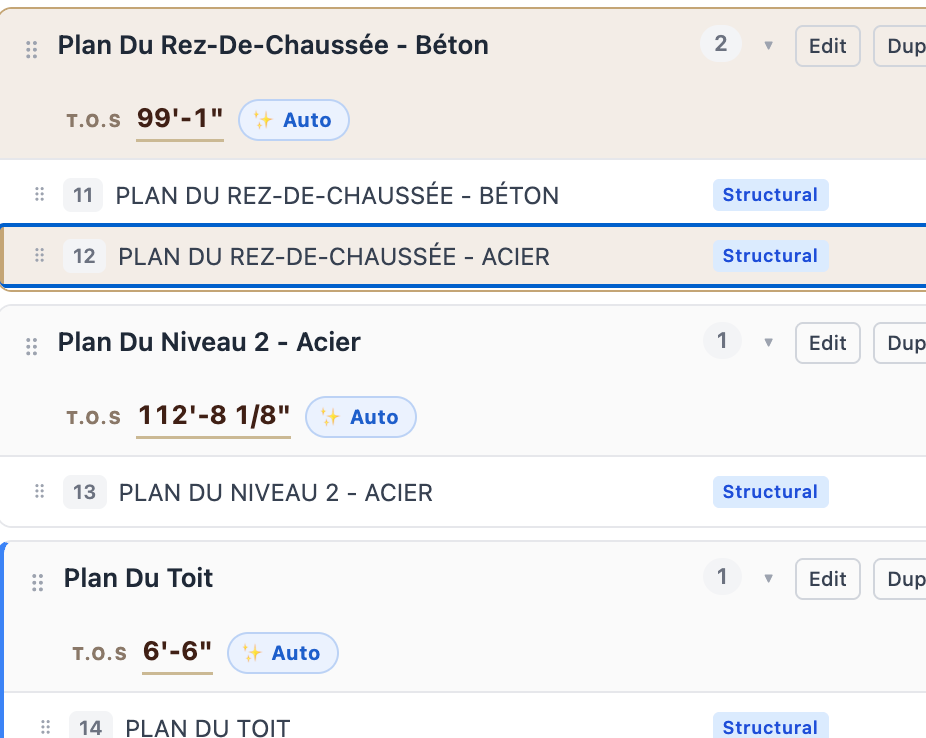
French Québec drawings
French in. French out. Structural drawing sets in Québec now work end to end. Ferra automatically recognizes French structural drawings, including French floor and level names, plan classifications, scale notation such as ÉCHELLE and ÉCH:, and metric elevations.
Bid Summary follows the language of the project documents, and AI chat can answer and continue the conversation in French.
- French drawing classification. French plan, framing, foundation and level terminology is recognized during processing.
- Metric handled automatically. Metric elevations are interpreted and converted for the project model.
- Bid intelligence, same language. Bid Summary follows the spec language; chat replies in the estimator's language.
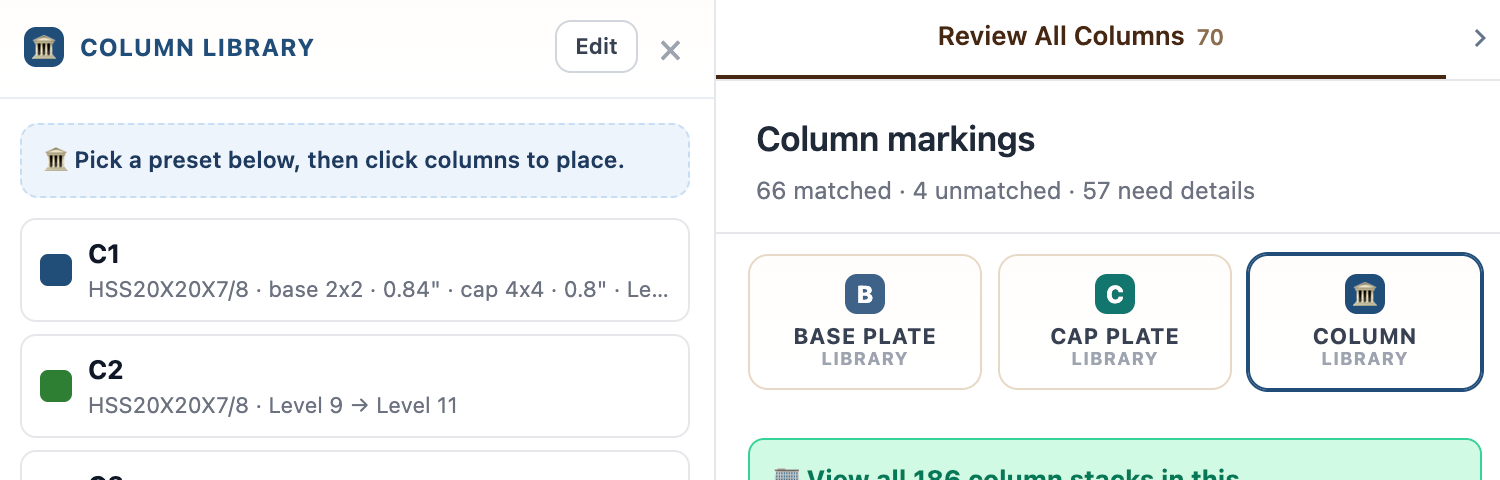
Column Library
Pick a preset. Click to place. Column presets and plate libraries, straight onto the drawing. Pick a preset from the Column Library, then click columns to place it. Base plate, cap plate and column libraries sit alongside Review All Columns, where marked and unmatched columns are tracked as you work.
- Presets in the library. Each preset carries its section, plate sizes and floor range, ready to apply.
- Click to place. Pick the preset you need, then click columns on the drawing to apply it.
- Review progress stays visible. Column markings keep matched, unmatched and needs-details counts visible as you work.
Reviewed workflow
Know what has been checked. A clearer review layer between Ferra and the estimator. Columns can now be marked Reviewed individually or in bulk. Reviewed members show a status pill in the editing rail and a check indicator directly on the canvas.
Column deletes are also fully undoable, including single delete, bulk delete and D-hotkey actions.
- Reviewed pill
- Canvas check indicator
- Bulk mark-reviewed
- Undoable deletes
Editable link callouts
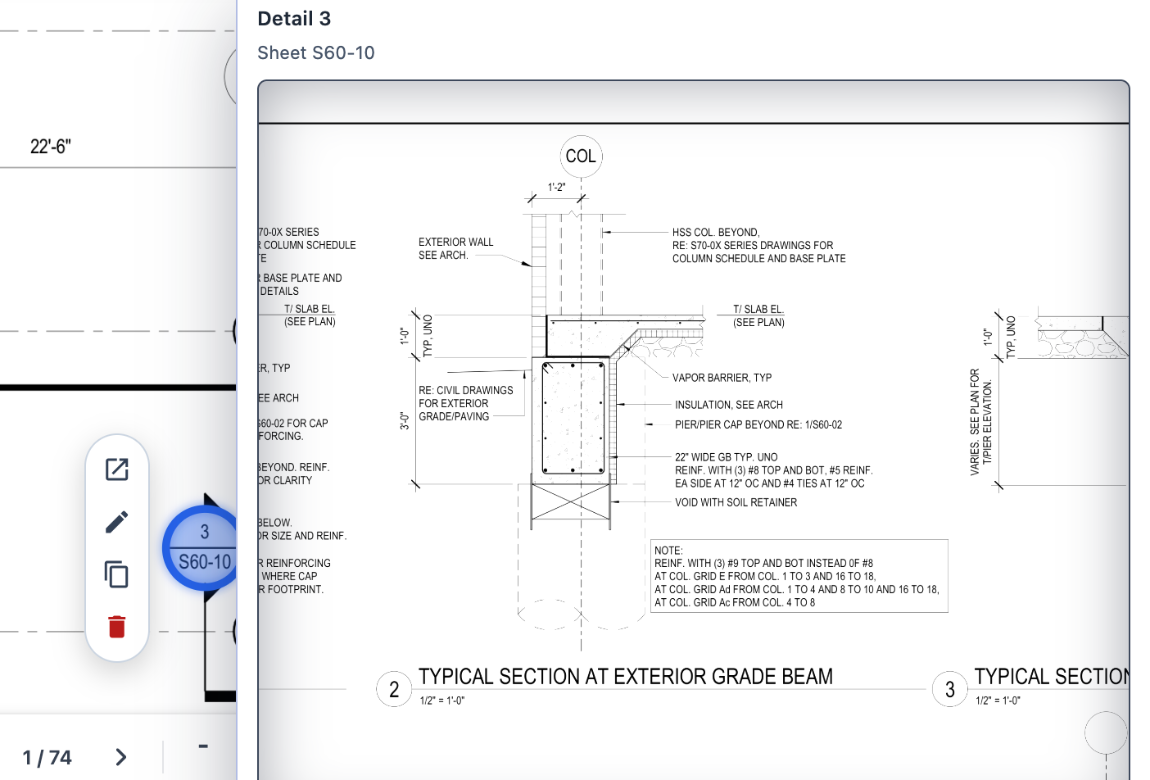
Keep the drawing workable. Callouts can now be edited directly on the canvas. Add, edit, delete, duplicate and reposition link callouts without leaving the drawing. Right-click actions and a scaled hover pill keep the workflow fast as the estimator moves through the set.
Per-member beam material
Set beam material individually or in bulk. Material can now be assigned to individual beams using an organization-wide material vocabulary, then carried through CSV and Tekla exports.
This gives estimators more control on projects where members do not all share the same material requirements.
Accuracy improvements
- Better moment connections. Better detection of filled rectangles, scan-fill triangles, dense joints and overshot endpoints, with fewer incorrect Frames into Wall calls.
- Schedule-driven column tonnage. Connection tonnage now uses schedule base plates so totals stay aligned with Steel Takeoff.
- Better schedule detection. Schedules embedded inside details can now be detected, surfaced and landed into the model.
- Base vs. cap plates. Base and cap plates are clearly distinguished, with improved labels and dimensions.
- Bent plates. Bend allowance, per-bend angles and exact cut length are now supported.
- Stock-length pricing. Stock-length calculations now account for nesting and drop.
IFC Preview
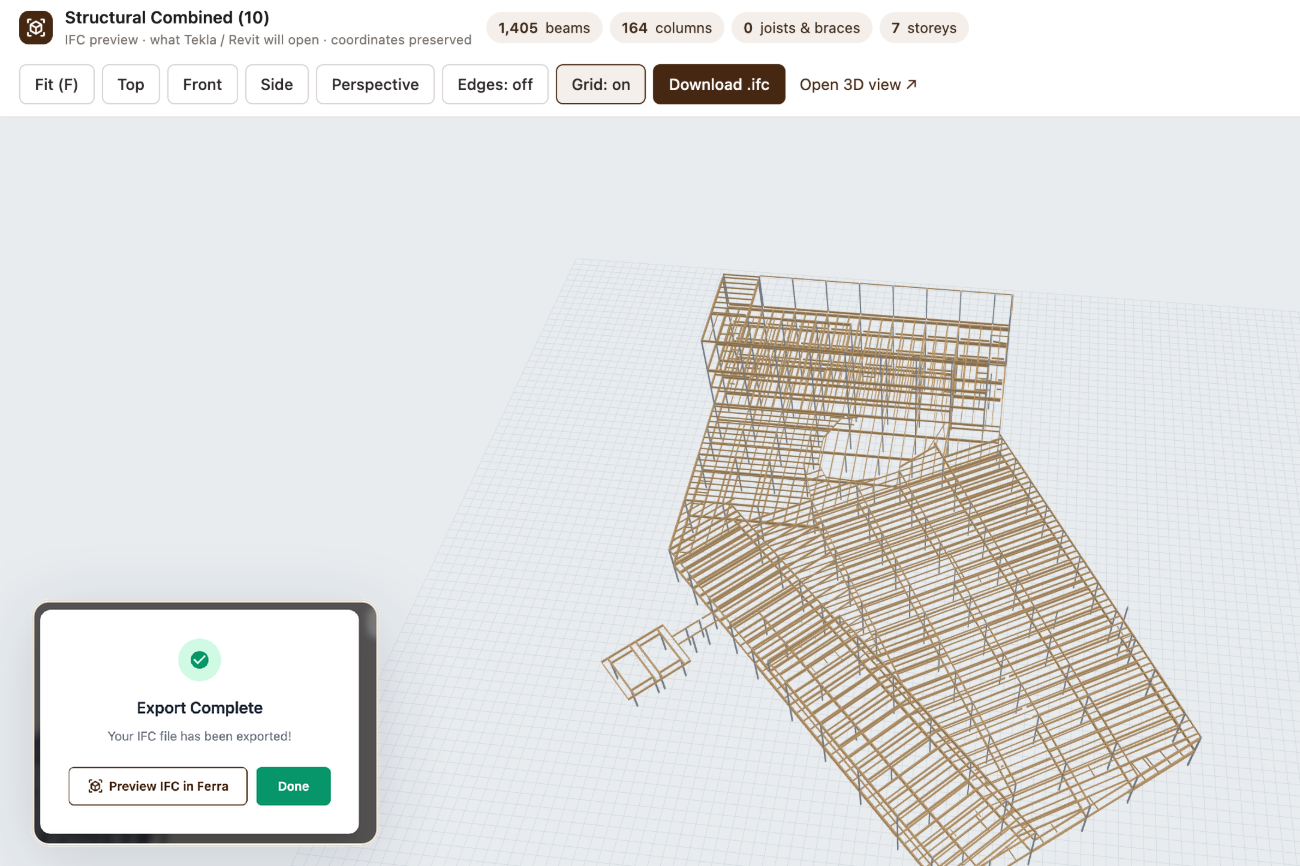
Check it before you hand it off. Preview IFC output directly inside Ferra. Inspect the generated IFC directly inside Ferra before downloading it or handing it off. Members land where Ferra displays them in 3D, joists export as open-web trusses, and positioning is improved across mixed-scale sheets, asymmetric braces and sloped members.
Organization defaults & standards
Set the standard once for every new project. Organizations can now define their default unit system, drawing language and section standard. New projects inherit those settings automatically while remaining adjustable project by project.
Available defaults: Imperial, Metric, English, Français, AISC, CISC, EN 10365, BS 4-1, AS/NZS, NBR.
Also shipped
- Automatic column extraction. Starts as soon as processing completes.
- Smarter scale handling. Better title-block anchoring and 1" = 20' scales.
- Off-grid columns. Identified clearly, and grid renames follow them.
- Splices, notes & floors. Draggable splices, autosaving notes, sorted floors.
Plus: Custom-section reweighting, corrected HSS catalog weights, sheet-rescale refresh, curved-member handling, rotated-plan normalization and faster single-column saves.
About the author
Co-Founder @ Ferra | AI Infrastructure for Structural Steel Estimating
Josh Ford is co-founder and CRO of Ferra, leading commercial strategy, design-partner development, and enterprise adoption across North America. He works directly with steel fabricators to modernize estimating, replacing static PDFs and manual workflows with structured, graph-based steel data and intelligent systems spanning bid intelligence through revision control.