
The schedule becomes the column library.
Ferra can now read a column schedule, build every reusable column type automatically, and surface the section, plates, bolts and footing attached to each mark, with the source beside every suggestion. Stacked columns follow the schedule splice by splice, and a new Confirm Scale step, takeoff accuracy fixes and a richer Bluebeam export round out the release.
Automatic Column Library
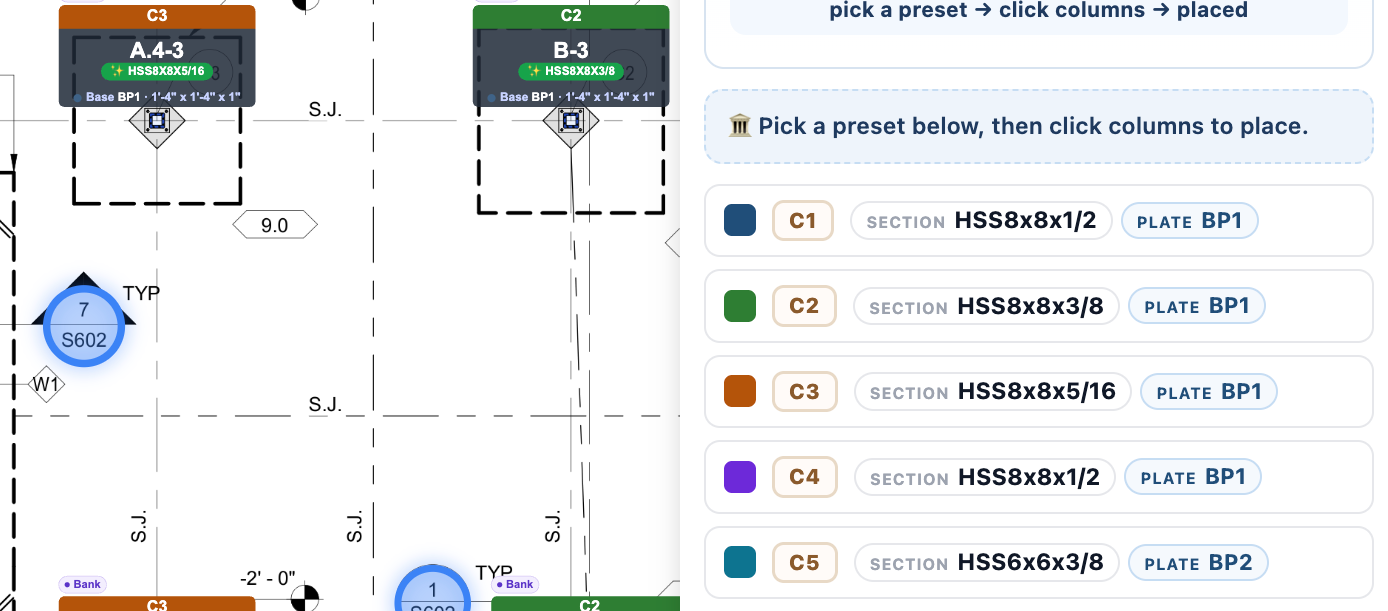
Read it once. Use it everywhere. Ferra now builds the column library for you. When Ferra reads a column schedule, every mark can become a reusable column type automatically. Section, base plate, anchor bolts, cap plate and footing are pulled together into one template, ready for review and placement.
No rebuilding the schedule by hand. No re-typing the same properties across dozens of columns.
- Built from the schedule. Each detected column mark becomes a reusable type using the properties printed in its schedule row.
- Review before you place. Ferra shows the extracted properties first. The estimator decides what gets accepted.
- Apply across the drawing. Choose the reviewed type, then place it onto its matching columns in one workflow.
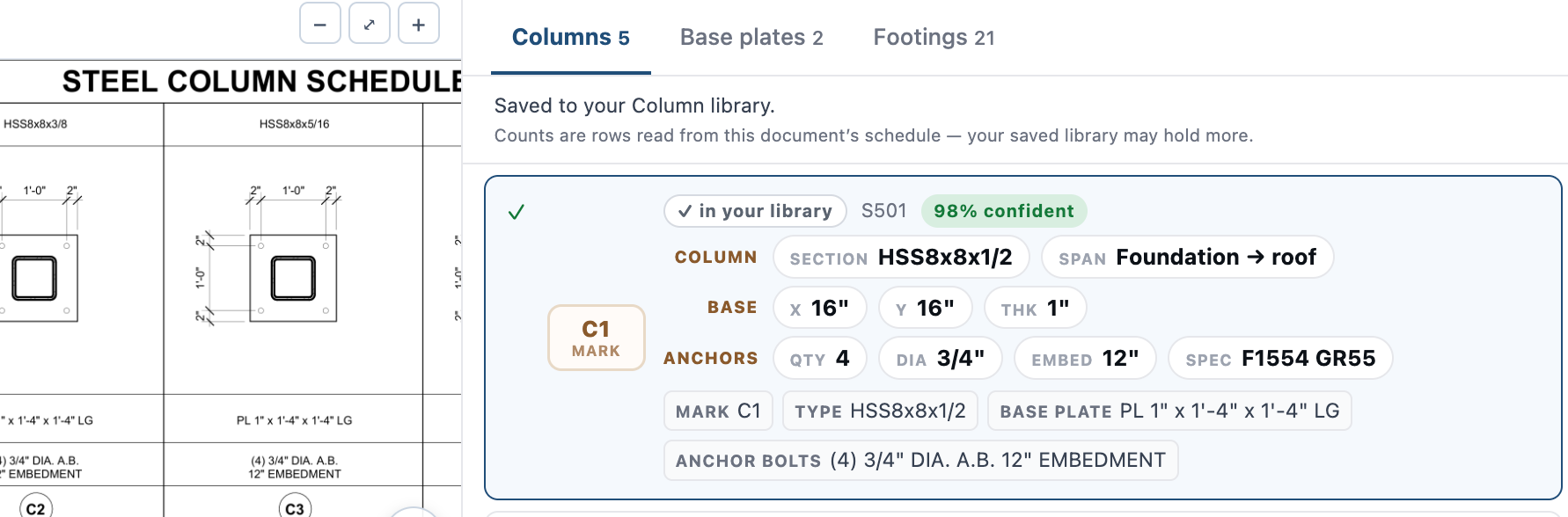
Every value has a source
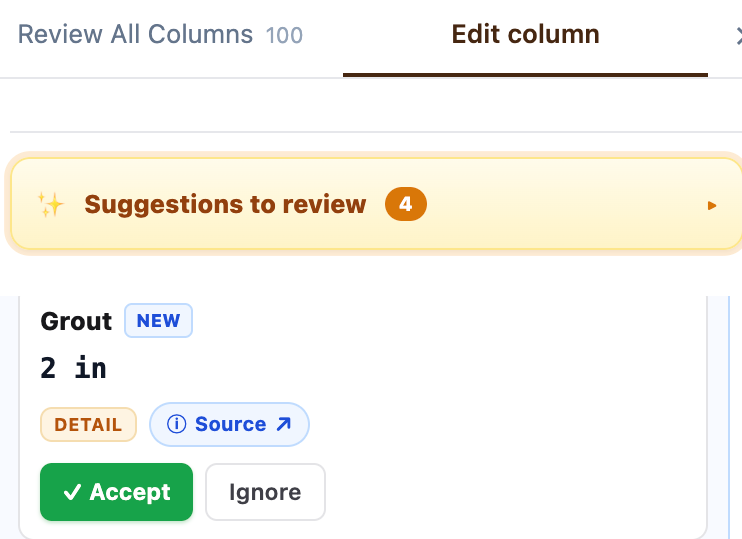
See why Ferra read it that way. Suggestions you can verify, not a black box. Ferra now shows the evidence behind each suggested column property. Material, base plate, cap plate, footing, grout and anchor bolts can link back to the exact schedule location they came from.
Review the suggestion, open its source, then accept or ignore it.
- Suggestion
- Source
- Accept or ignore
Estimator stays in control
Ferra only suggests what's unfinished. Ferra leaves completed work alone. Properties that have already been reviewed or corrected are not repeatedly suggested, and deleted templates stay deleted. The review count now reflects the work that actually remains.
- Edits are respected. Ferra does not overwrite a property just because the schedule was re-read.
- Cleaner review queue. Columns that already have the required information drop out of the suggestion count.
- Safe collaborative editing. Changes to the same library are protected so one estimator does not overwrite another's work.
Stacked columns, understood
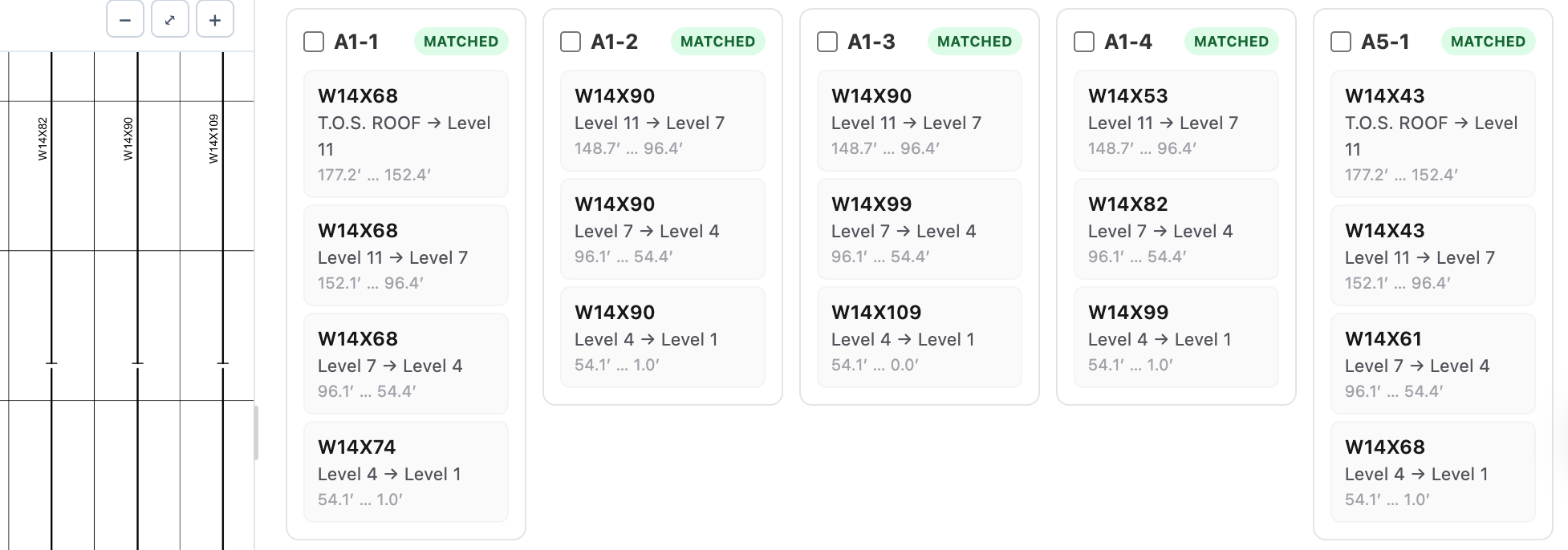
Every splice. The right floor. Schedule-driven material now follows the full column stack. When a schedule specifies a different section at each splice, Ferra now applies each material to the correct piece, floor and elevation.
It also handles schedules that list the heaviest member first, so stacks are not accidentally constructed upside-down.
- Per-splice material. Different sections can be applied to different pieces in the same column stack.
- Correct stack direction. Schedule ordering no longer causes top and bottom members to flip.
- Plates + bolts together. Base plate geometry, anchor bolts and the plate mark resolve together when the column type is applied.
Takeoff accuracy
Cleaner numbers from drawing to export.
- Beam lengths. Beam length now stays consistent across the drawing, review panel, takeoff table, CSV and 3D, including curved beams and beams on copied or rescaled floors.
- Live tonnage. Total Tons reconciles immediately after a beam edit, without requiring a refresh.
- Connection bolts. Welded connections and zero-bolt end plates no longer add phantom bolts, while all legitimate connection bolt lines are counted.
- Studs. Stud quantities now multiply correctly by piece count in the takeoff summary.
- Round HSS braces. Round HSS braces are now detected, and Brace detection can be added when reprocessing a document.
- Spaced section labels. Beam labels written with spaces, such as W 12 x 22, are now detected correctly.
Safer processing from the start
Confirm the scale before the takeoff begins. A new Confirm Scale step makes drawing scale explicit before takeoff. Scale handling has also been hardened across copied floors, mixed units and difficult drawing sets so downstream quantities start from the right measurement.
- Giant scanned sheets. Large raster sheets can now process without crashing or being silently skipped.
- Better elevations. Plan dimensions and drawing scale are rejected as elevation values, while only strong elevation detections are auto-applied.
- French + metric. Mixed-unit documents, French floor naming, schedule terminology and metric elevations are handled more reliably.
Export & revision
- Bluebeam export. Ferra's Bluebeam export now carries markup colors, author information and polyline markups, with a self-serve profile builder for different Bluebeam setups.
- Revision compare. Revision exports now include color, a PDF legend, richer CSV output and clearer Changed labeling.
- IFC preview. Preview IFC remains directly inside Ferra so estimators can inspect the generated model before handing it off.
Also shipped
- Arrow-key floors. Move between floors without leaving the drawing workflow.
- Remembers your sheet. The last sheet in each element mode is kept, along with the current floor.
- Hold space to pan. Pan while placing columns or measuring without leaving the active tool.
- Passwords. Users can change their password in-app, and admins can set a custom password.
- Document search. Cmd+F can search a document by keyword or full content.
- Linked details. Linked details open in a new tab.
- Archive. Documents and projects can be archived instead of permanently deleted.
About the author
Co-Founder @ Ferra | Leading AI Innovations
Michael Gu is co-founder and CTO of Ferra, where he leads AI and engineering for structural steel estimating. A product leader, designer, and software engineer with 11 years of experience, he has built and scaled AI, e-commerce, blockchain, and fintech platforms with both startups and large enterprises. He was previously VP at Growlink and co-founder of FloEnvy (acquired) and Zlto (backed by Google).