
A revision cloud is the scalloped bubble a drafter draws around a changed area of a drawing, paired with a numbered revision triangle and an entry in the title block's revision history. It marks what someone chose to call out, not everything that changed, so estimators treat clouds as a starting checklist rather than the change list.
Key facts
- A revision cloud is drawn by hand, or by a drafter's judgment in CAD. It marks what someone decided to call out, not everything that changed.
- The cloud pairs with a revision triangle, or delta, carrying the revision number, and the title block lists the same number with a date and description.
- The drafting rule is to cloud only the current issue and remove old clouds. In practice they accumulate, so a sheet on revision 4 may still carry clouds from revisions 2 and 3.
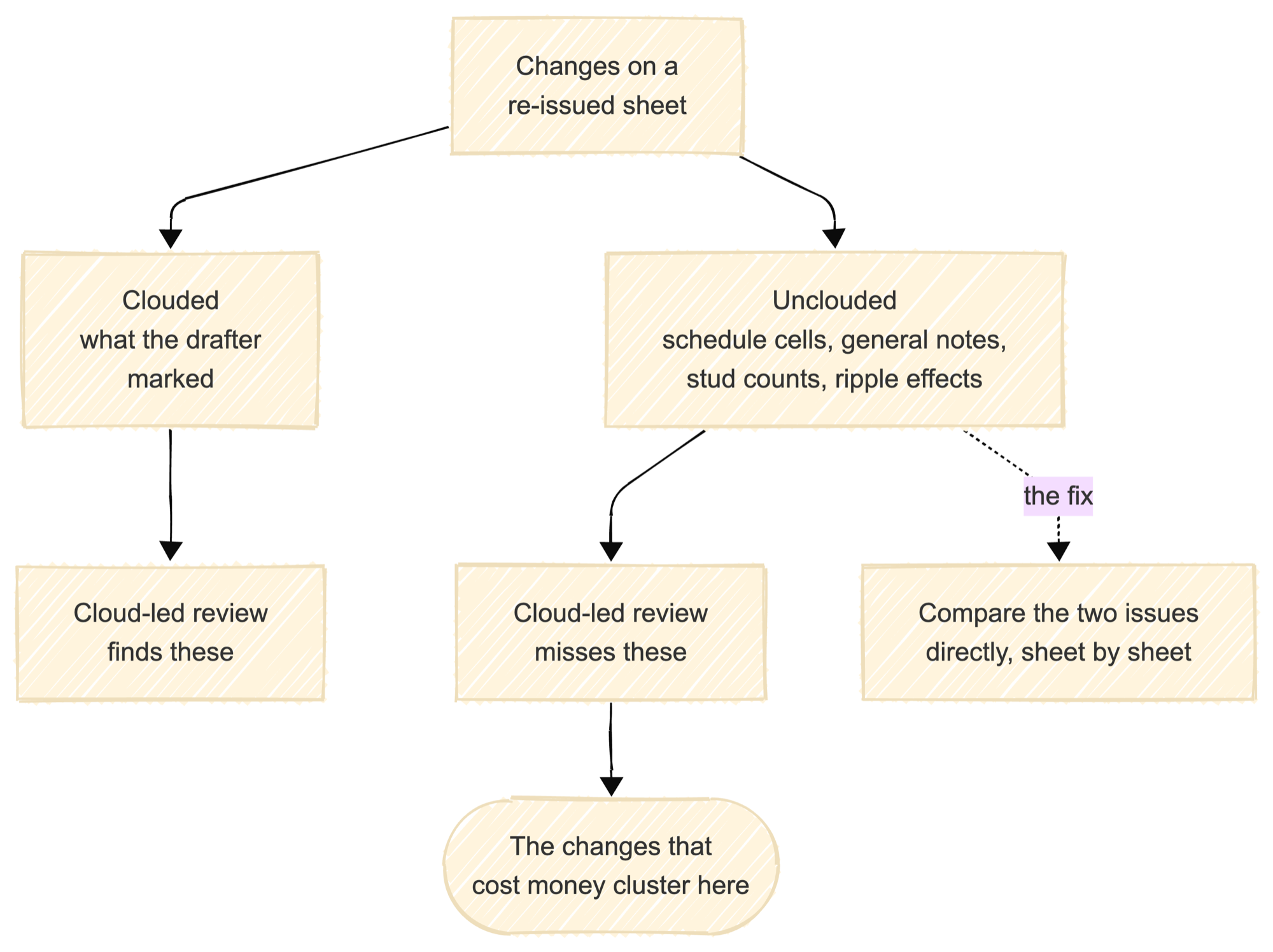
- The changes that cost estimators money are disproportionately the unclouded ones: a schedule cell, a general note, a stud count.
- Treat clouds as a starting checklist, never as the change list.
How do you read a revision cloud?
The cloud is the scalloped bubble around a changed area. The triangle next to it, the revision delta, holds the revision number, and the title block's revision history gives that number a date and a one-line description. When a sheet is re-issued, the previous issue's clouds are supposed to be removed and new ones drawn, but practice varies by office, and on a busy set you will find clouds from three issues back still sitting on the sheet.
Some offices cloud generously, some cloud almost nothing, and a re-issued full set sometimes arrives with no clouds at all because the drafting standard treats a full re-issue as self-explanatory. None of this is malicious. It is why the cloud cannot be the record.
Do revision clouds show every change?
No. The cloud answers "where did the drafter mark a change." The estimator's question is "what changed against my takeoff," and those are different questions. A beam size bumped in the beam schedule changes twenty members on a plan that was never clouded. A revised general note reassigns connection design responsibility without touching a single drawing view. Comparing the two issues directly, sheet by sheet, is the only way to answer the estimator's version of the question.
Example
Sheet S2.2 arrives at revision 3. One cloud sits around the bay at grid F, delta 3 beside it, and the title block reads "Rev 3: framing revised at F." Inside the cloud, a W16x26 became a W16x31. Also on revision 3, but nowhere inside a cloud, the beam schedule cell for the B2 mark went from 18 studs to 26, which touches nine beams on this sheet alone. A cloud-led review prices one changed beam. The set comparison prices ten.
How Ferra handles this
Ferra does not rely on clouds. It compares the two drawing sets member by member and surfaces every candidate change for review, which catches the unclouded schedule change that a cloud-led review misses. Clouds still earn their place as a reviewer's map of what the design team flagged; they are just not the record. See Revision Control.
Sources
- Drafting practice as described. Revision clouds and deltas are drawing-office and CAD-standard convention rather than a building-code requirement, and office standards that do exist call for clouding only the current issue, which is exactly the rule practice drifts from.