
Ferra vs Beam AI
Beam AI covers more than 15 trades, as a done-for-you service or a DIY platform. Ferra is built only for structural steel, and your estimators drive it.
Ferra and Beam AI, side by side
What each tool does today, row by row. Bring one of your own sets to a demo and test the rows that matter to your shop.
Where Beam AI is strong
- It covers more than 15 trades, which suits a contractor bidding several of them.
- You can hand the takeoff off entirely, with human review, on a 24 to 72 hour turnaround.
- Its steel takeoff covers misc steel such as stairs, railings, ladders, and platforms.
What you get with Ferra
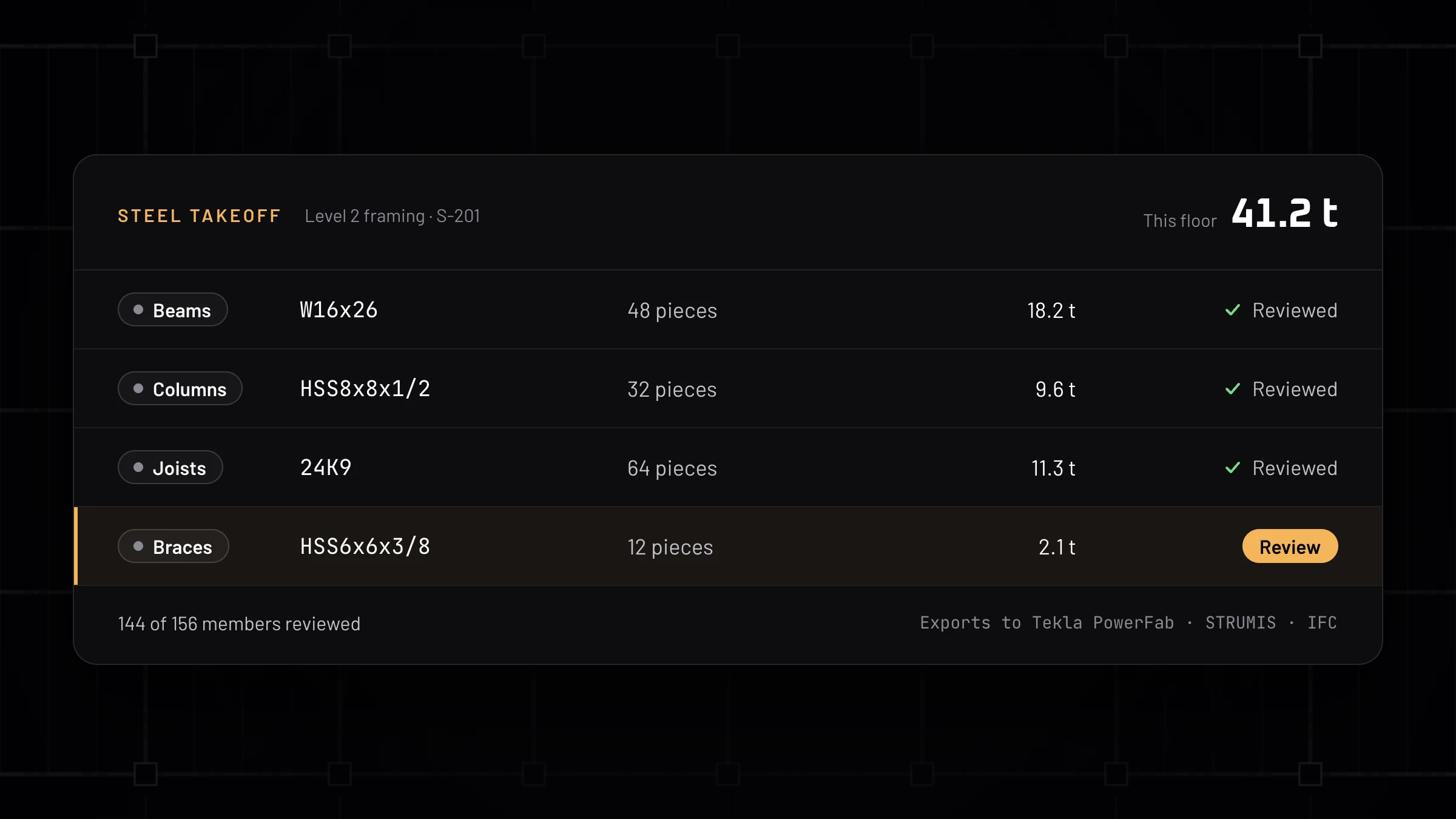
Takeoff the estimator can check
Beams, columns, joists, and braces detected across the set, with every member in a review list before anything is exported.
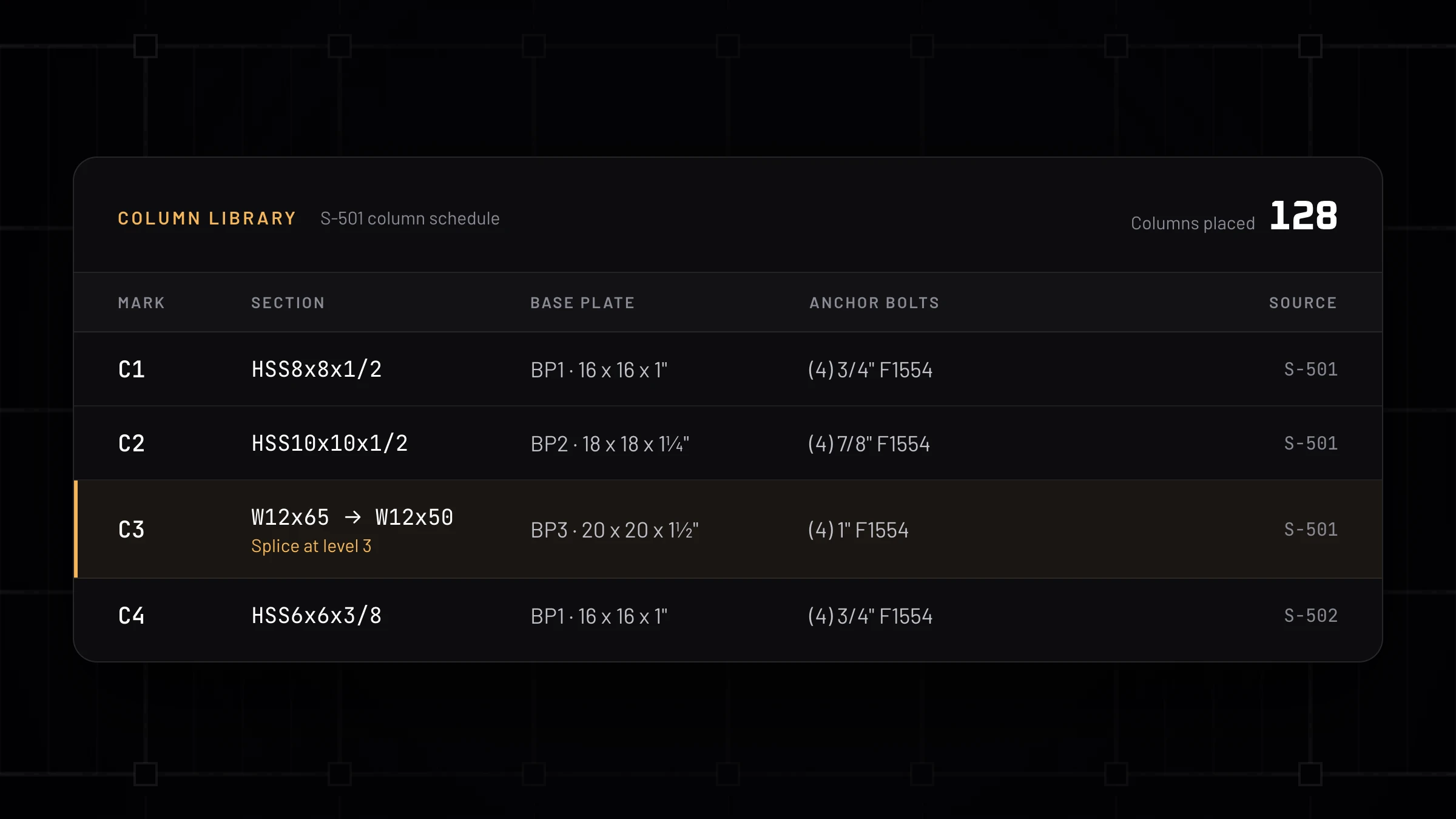
Columns on real sets
Column properties come off the schedule, splices included, each linked to the sheet it was read from.
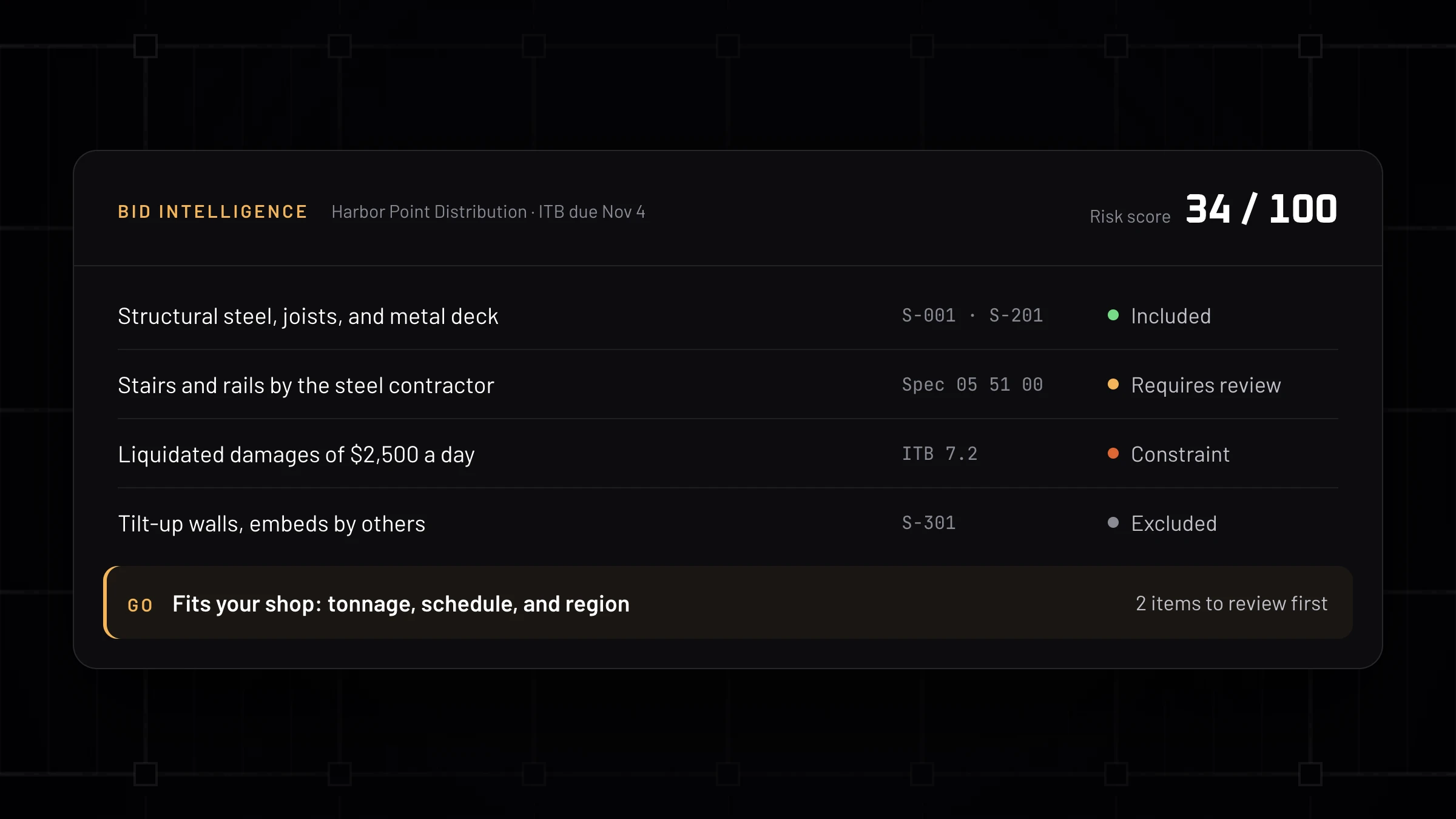
Know which jobs to bid
Scope, risk, and fit pulled from the ITB and specs, each finding linked to its source, before anyone starts counting.
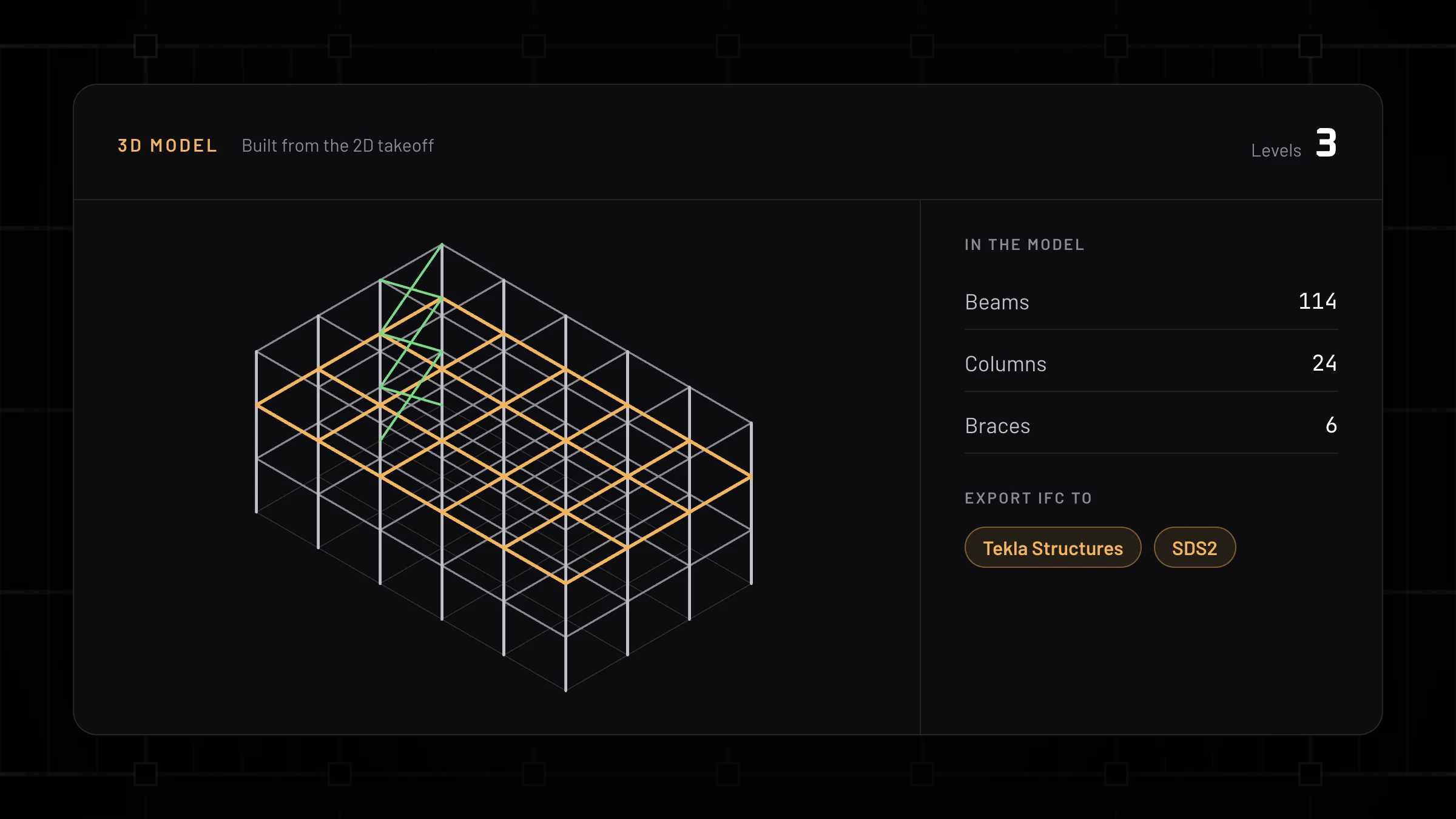
3D model and IFC
The takeoff becomes an estimating-level 3D model, exported as IFC for Tekla Structures and SDS2.
Which one fits your shop
Pick Beam AI if
- You bid several trades and want one vendor for all of them.
- You'd rather send drawings out than run the takeoff in-house.
Pick Ferra if
- Structural steel is most of your work.
- Your quantities need to land in Tekla PowerFab, STRUMIS, or an IFC model.
- You want a go or no-go read on a job before you commit estimator hours.
From a Ferra customer
“This took me 10 to 15 minutes to get this project to this point — it took 5 seconds to add 314 columns. You guys have got something that no one else on the market does: a real working AI takeoff tool that doesn't require hours of manual work. Taking the main framing off on this one by hand would easily be 5 to 10 hours.”
FAQ
Ferra vs Beam AI questions
What is the main difference between Ferra and Beam AI?
Beam AI covers more than 15 trades, offers done-for-you takeoffs or a DIY platform, and returns Excel, PDF, and a shareable link. Ferra is built only for structural steel, adds Bid Intelligence for the go or no-go call, and exports into Tekla PowerFab, STRUMIS, and IFC.
Does Ferra do the takeoff for me like Beam AI?
Ferra is software your estimators drive, so the takeoff happens in-house and the estimator reviews every number. If you want to hand bids off entirely, Beam's done-for-you service is built for that.
Does Ferra export to Tekla PowerFab?
Yes. Tekla PowerFab CSV is Ferra's default export, alongside custom CSV formats, Excel, STRUMIS, IFC for Tekla Structures and SDS2, and Bluebeam markups.
How do I compare Ferra and Beam AI fairly?
Run the same structural steel job through both and compare columns, connections, and a revision, member by member. Book a demo and bring the set; we run it with you on the call.
Bring a set you know
Send us a job you already ran through Beam AI, or one you're bidding now. We'll run it in Ferra with you on the call.
Send me a drawing set. We’ll run it and show you what Ferra found.
Josh Ford · Co-Founder, Ferra